Inventory, sales and accounts
in one system
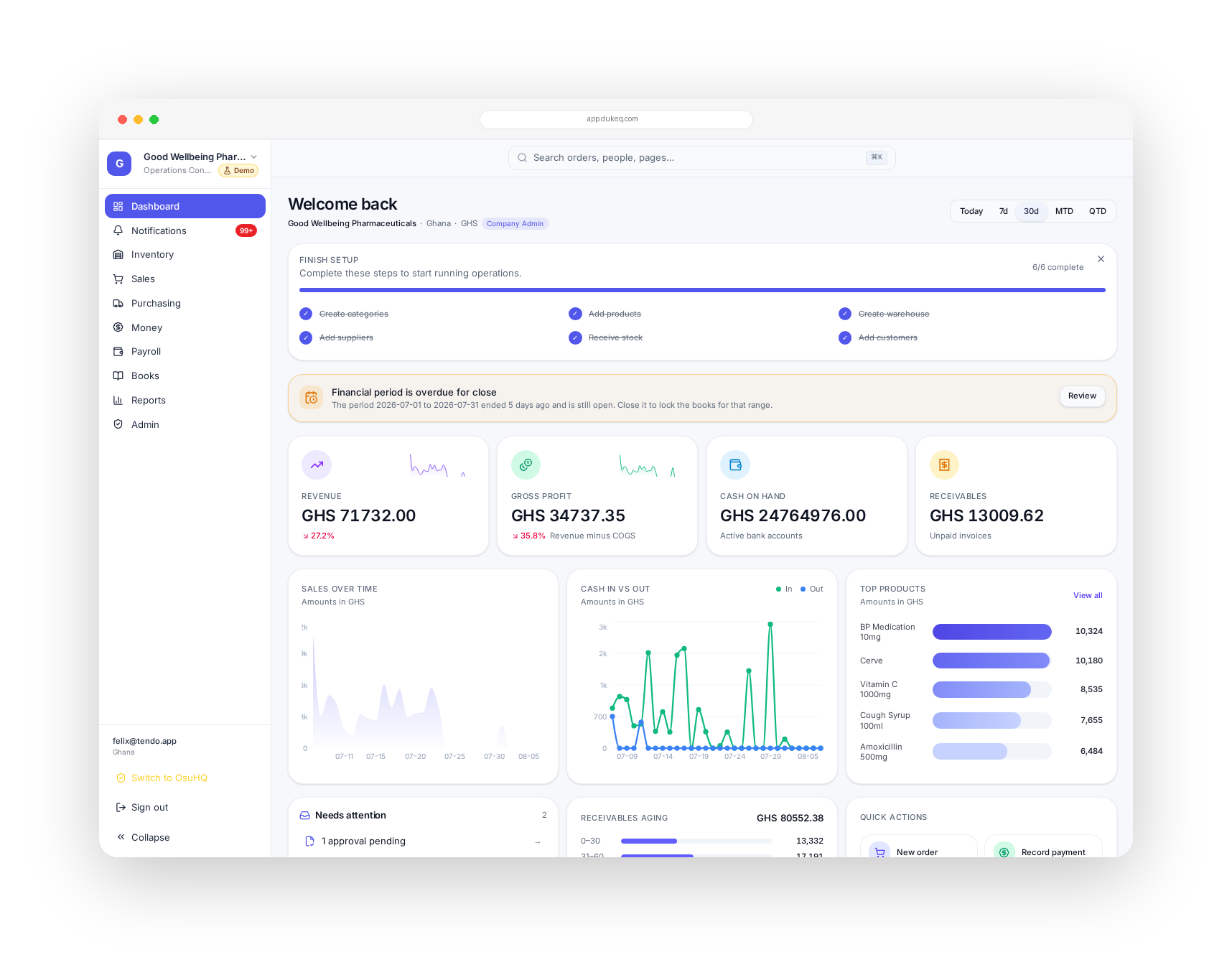
DukeQ is the operating system for distribution, wholesale and pharmaceutical businesses. Stock, orders, purchasing, cash, payroll and customer apps in one place, with every transaction posting straight into a real general ledger.
- Inventory & batches
- Sales & purchasing
- Cash, bank & MoMo
- Double-entry books
- Payroll
- Field & rider apps
Built with and for operators running
- Pharmaceutical distributors
- Wholesalers
- Importers
- FMCG distribution
- Agro inputs
- Building materials
- Trading companies
- Retail chains
- Cosmetics & personal care
- Food & beverage
- Food & beverage
- Cosmetics & personal care
- Retail chains
- Trading companies
- Building materials
- Agro inputs
- FMCG distribution
- Importers
- Wholesalers
- Pharmaceutical distributors
The business is running, the records are not
Most distribution businesses in this region are not short of hustle. They are short of one system where the money, the stock and the paperwork agree.
- Stock counts live in a book, and nobody agrees on what is actually on the shelf
- Orders come through WhatsApp, then get typed again into a spreadsheet, then again into the accounts
- Cash and mobile money move all week, and reconciliation happens weeks later, if at all
- Expiries and short-dated batches are found when a customer rejects the delivery
- The month closes late because the accountant is rebuilding history from receipts
Operations do the bookkeeping
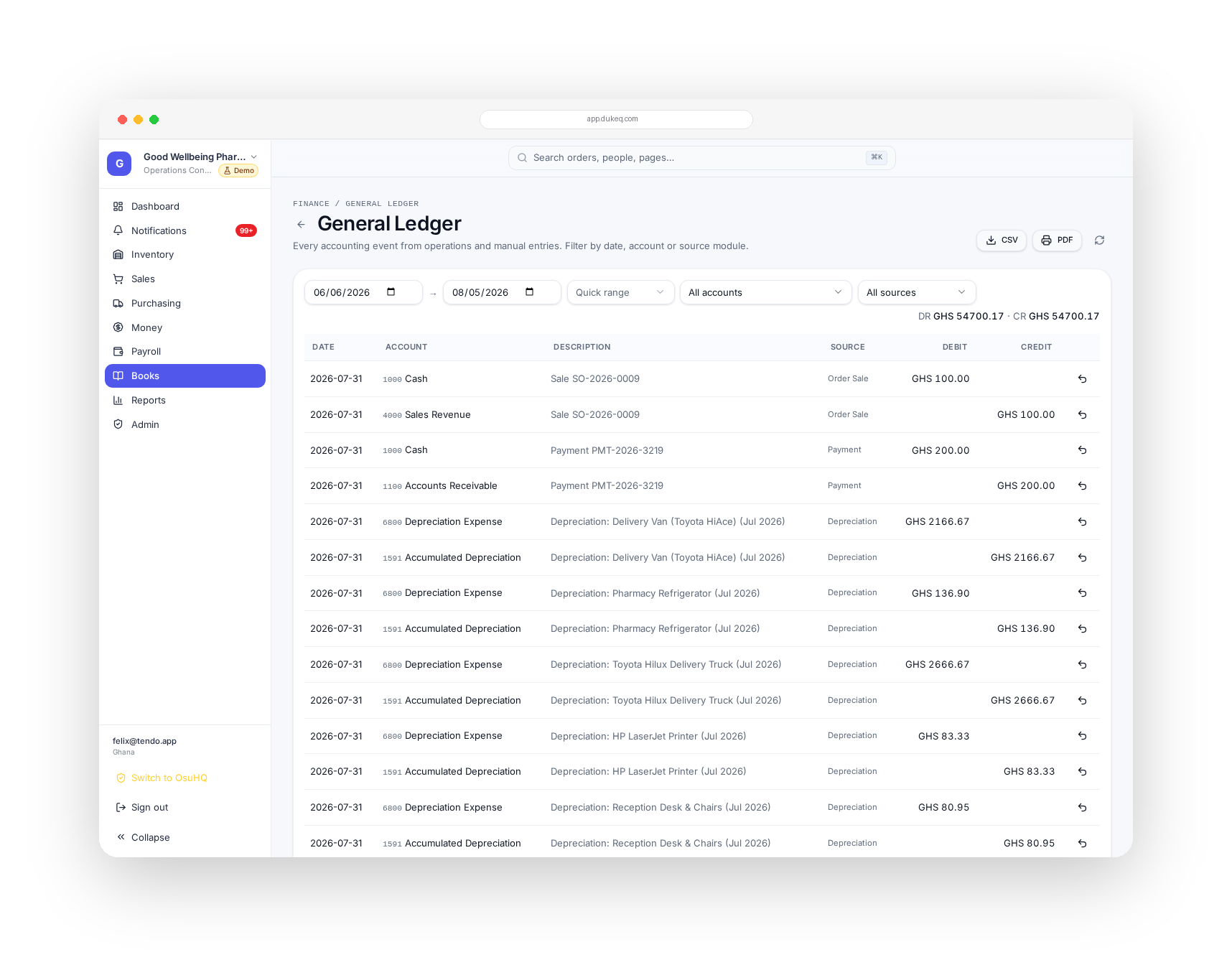
Nobody on your team has to think in debits and credits. They record what happened in the business, and DukeQ writes the double entry behind it. Trial balance, income statement, balance sheet and cash flow stay current all month.
- Sell an item and DukeQ posts revenue, cost of goods and the receivable
- Receive a payment and cash, bank or mobile money updates with it
- Log a bill, a salary run or depreciation and the entries land where they belong
- Drill from any figure in a report back to the order or payment behind it
Stock you can actually trust
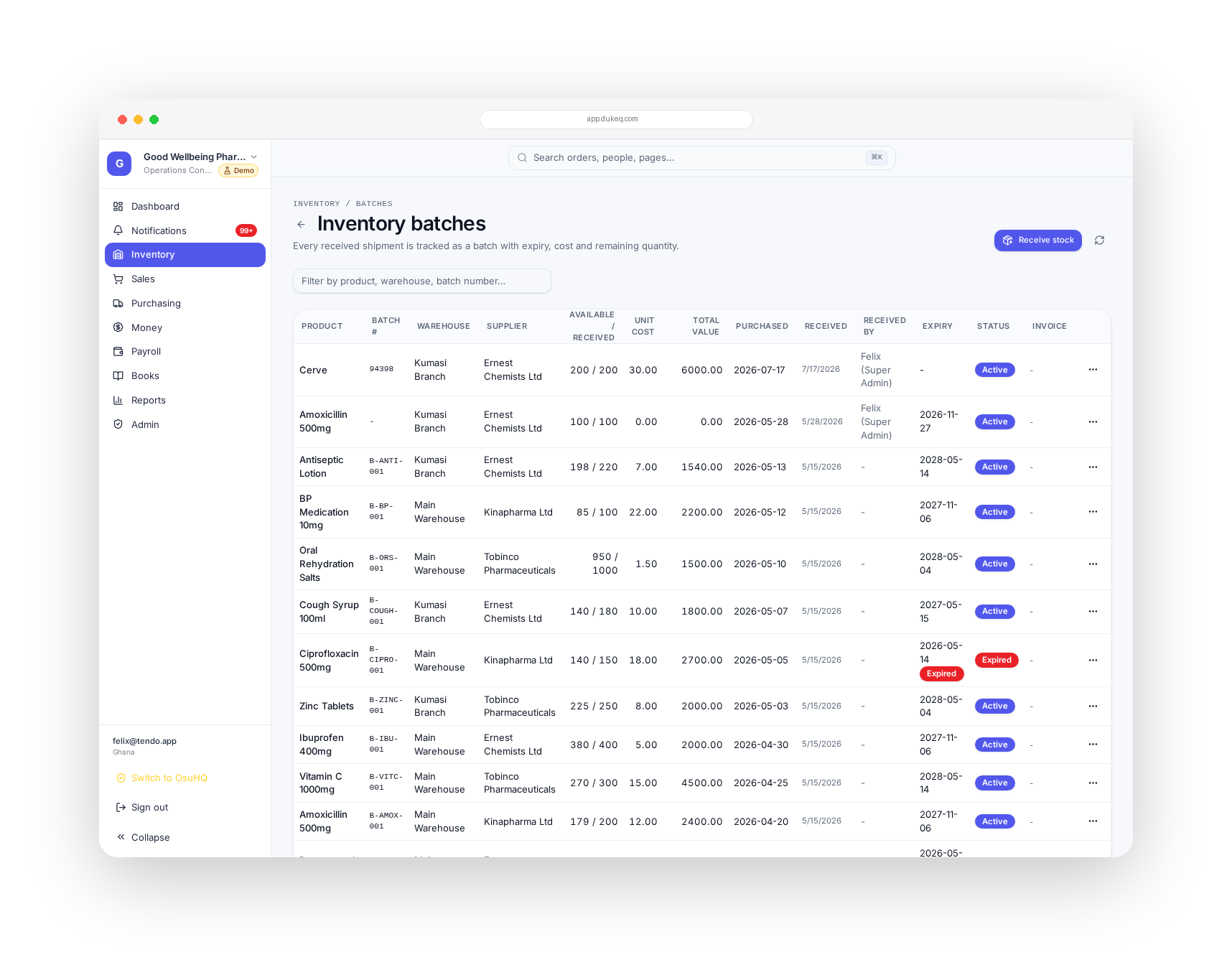
Regulated goods, batch numbers, expiries and multiple stores are the normal case here, not an edge case. DukeQ tracks stock at batch level from the day it lands to the day it leaves.
- Batch and expiry tracking, with alerts long before stock goes short-dated
- Multi-warehouse stock, transfers, adjustments and stock takes that leave an audit trail
- Purchase orders, goods received notes and supplier bills tied to the same items
- Landed cost, so margin reflects freight, duty and clearing rather than invoice price alone
Your team sells and delivers from a phone
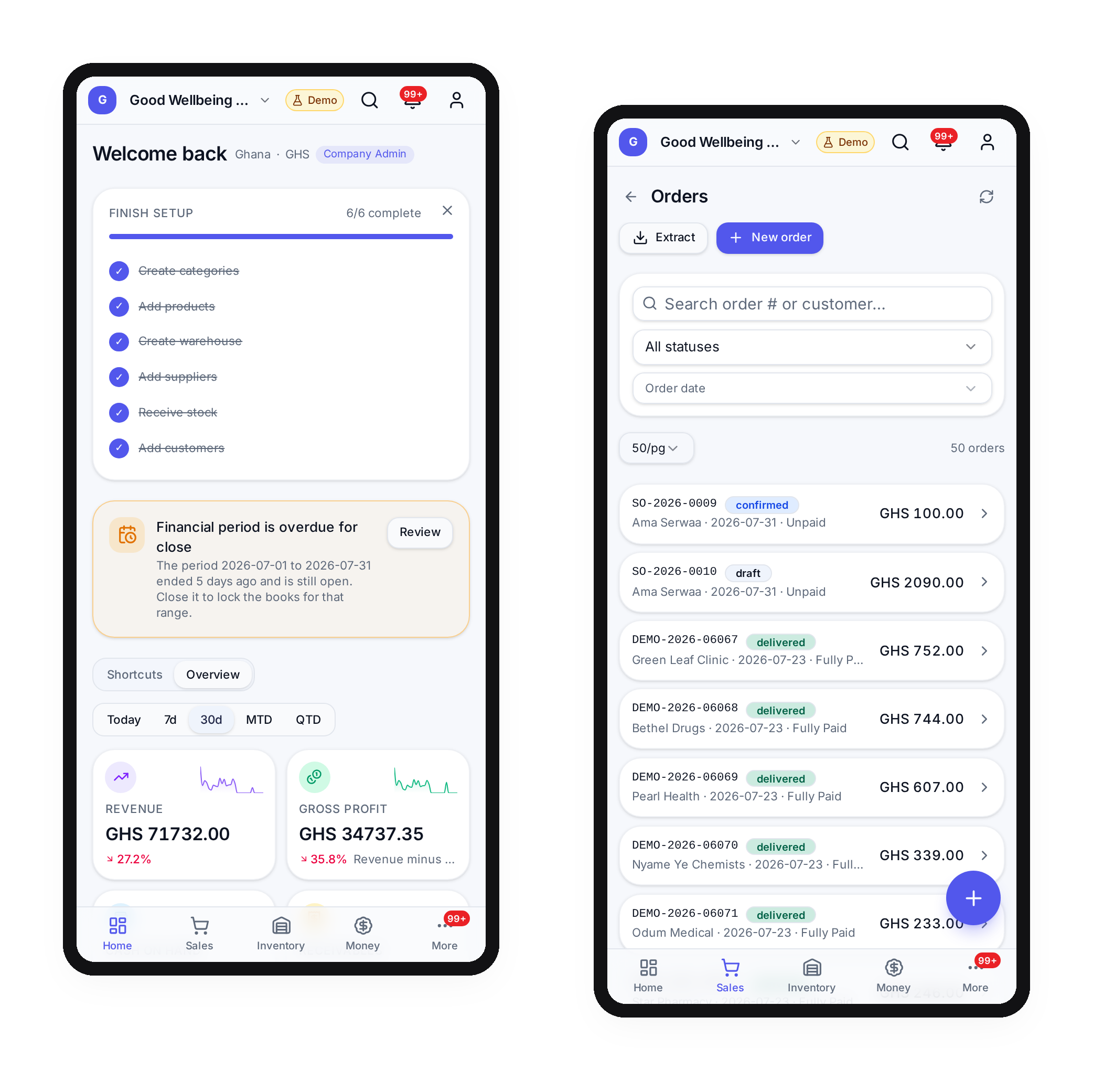
Field agents take orders at the counter, riders confirm deliveries and collections, and the office sees all of it as it happens. No end of day paperwork, no reconstructing the route from memory.

Field sales
Customer visits, order capture, price lists per customer tier and payments collected on the spot
Delivery
Dispatch, proof of delivery, returns and cash collected, all attached to the original order
Approvals
Discounts, credit limits and write-offs go through the person who is meant to approve them
Automation where it saves real hours
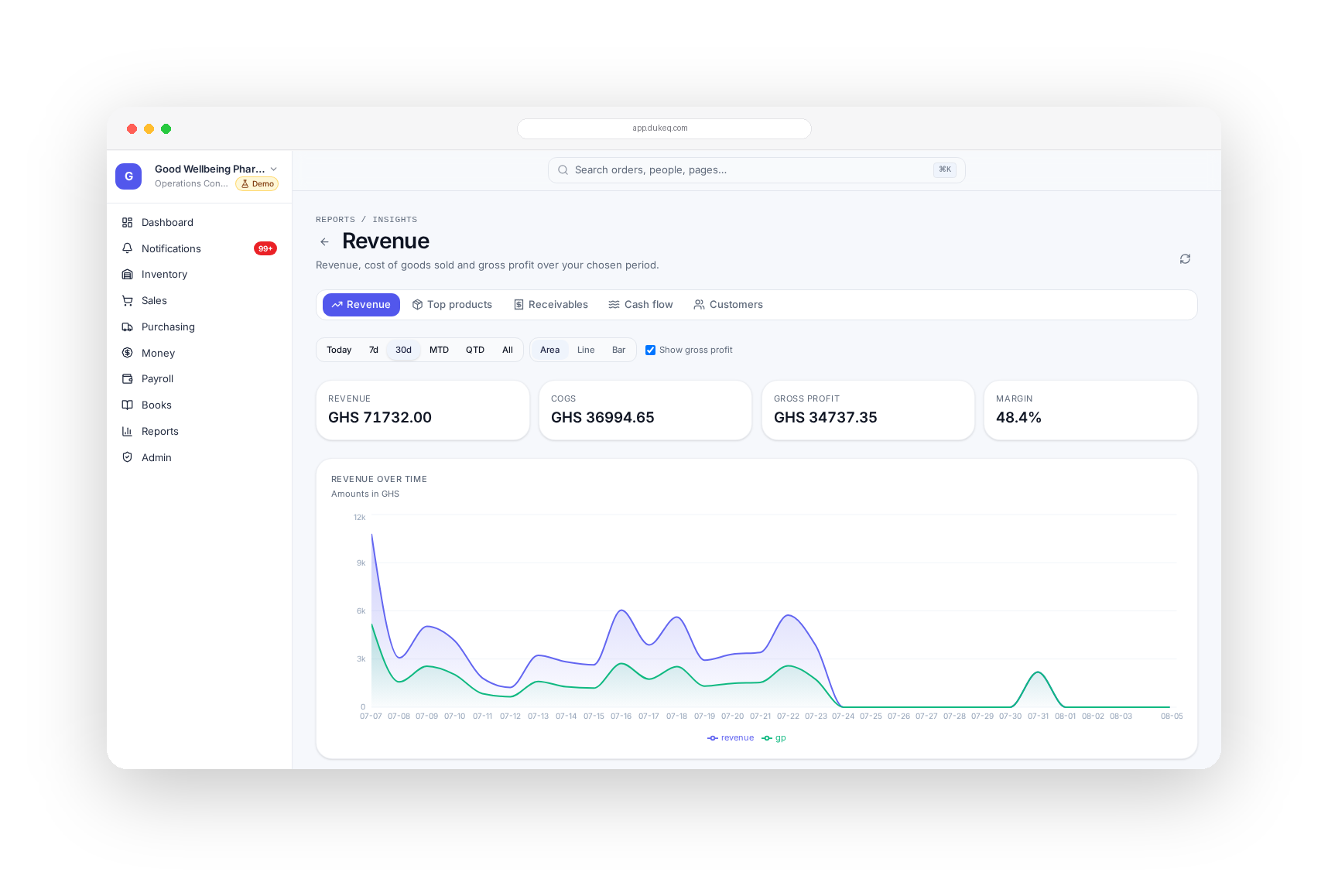
Duke Intelligence is pointed at the boring work: matching, chasing, counting and explaining. It reads your own data, so the answers are about your business rather than an industry average.
- Bank and mobile money statements matched against your records automatically, with the exceptions surfaced
- Reorder suggestions based on real sales velocity, lead time and what is already on order
- Slow movers, dead stock and expiring batches flagged before they become a write-off
- Plain language answers on revenue, margin, debtors and cash position without waiting on a report
Everything under one roof
Start with the part that hurts most and switch on the rest as you grow. It is the same system underneath, so nothing has to be migrated later.
Operate
- Inventory, batches, expiries, multi-warehouse
- Sales orders, invoices, credit notes, returns
- Purchasing, goods received, supplier bills
- Customers, credit limits and statements
Account
- Automatic double-entry from every transaction
- Bank, cash and mobile money reconciliation
- Income statement, balance sheet, cash flow, trial balance
- Fixed assets, depreciation and VAT ready reporting
Grow
- Payroll and staff records
- Field agent and rider mobile apps
- Branded customer ordering app and web store
- Roles, approvals and a full audit trail
Who this is built for
Our first deployments were with pharmaceutical businesses, which is the hardest version of the problem. The same system runs any business that buys, stores, sells and has to account for it.

Pharmaceutical distribution
Batch and expiry control, regulated stock movement, credit sales to pharmacies and clinics, and reporting that stands up to an audit. This is where DukeQ was first deployed.
Wholesale and general distribution
High volume, thin margins and many SKUs. Landed cost, customer price tiers and reorder discipline decide whether the year is profitable.
Importers and trading companies
Multi-currency purchases, clearing costs and long lead times, tracked from the purchase order to the eventual margin on each shipment.
Retail chains and multi-branch businesses
Several locations, transfers between them, and one consolidated view of stock, cash and performance per branch.
Put your brand in your customers' hands
When you are ready to sell directly, DukeQ gives you a branded customer app and web store on top of the same operations you already run.
Your own ordering app
Customers order from an app carrying your name and colours, on iOS and Android
Your domain
The web store and customer portal run on your domain, not ours
Orders land inside DukeQ
Every customer order flows into the same stock, invoicing and accounting pipeline
Your data stays yours
Export anything, any time, role based access controls who sees what internally
From first conversation to running live
- 01
We map how you actually work
Your products, warehouses, price tiers, approvals and who does what
- 02
We load your data
Products, batches, opening stock, customers, suppliers and opening balances
- 03
We set up the books
Chart of accounts, tax treatment and the rules that post each type of transaction
- 04
Your team is trained on their part
Counter staff, storekeeper, field agents, accountant and owner each learn only what they use
- 05
You run live, with us beside you
We stay on the first close with you until the numbers reconcile
Priced for the businesses that need it
No per seat surprises for the whole warehouse. Setup and data migration are quoted once, based on how much history you are bringing over.
Starter
For a trading business that needs to get organised.
- Inventory, sales and purchasing
- Customers and suppliers
- Basic reporting
- Up to a small team
Complete
Full operations and finance for a growing distributor.
- Everything in Starter
- Automatic double-entry accounting
- Bank and mobile money reconciliation
- Payroll, fixed assets and full reports
- Field agent and rider apps
Complete + App
Own the customer relationship as well as the operation.
- Everything in Complete
- Branded customer app on iOS and Android
- Branded web store on your domain
- Priority setup and support
Answers before the demo
We already use an accounting package. Does DukeQ replace it?
For most of our customers it does, because the accounting is generated by the operations rather than typed in afterwards. If you want to keep your current package, we can export journals for it.
Our stock records are a mess. Can we still start?
Yes. We start with a physical count and treat that as opening stock. From that day the system stays accurate because every movement is recorded as it happens.
Does it handle batch numbers and expiry dates?
Yes, at item level. You can see what is expiring, in which warehouse, and which customers received a given batch if you ever need to trace it.
Will our field agents actually use it?
The mobile app is built for one hand and a weak connection. Agents capture an order, a payment or a delivery in a few taps, and it syncs when the network returns.
Can it work with mobile money and multiple bank accounts?
Yes. Cash, bank and mobile money are all tracked, and statements can be matched against your records with the differences flagged for review.
How long does setup take?
Most businesses are running live within two to six weeks, depending on how much data and history is being brought over.
Who owns the data?
You do. You can export your records at any time, and access inside your business is controlled by role.
See it on your own numbers
Tell us how your business runs today. We will walk you through DukeQ using your products, your prices and your reporting, and tell you plainly what setup would involve.